Start with your standards.
Set minimum stars and rating counts. Keep a fixed minimum, or let Sift find the most-rated share of eligible products on the page.
 siftfor Amazon
Your standards, applied.
Set your standards. Find the results that meet them.
Turn a crowded Amazon search into a calmer place to compare. Choose your minimum stars and rating count, and Sift brings the products that make the cut into focus.
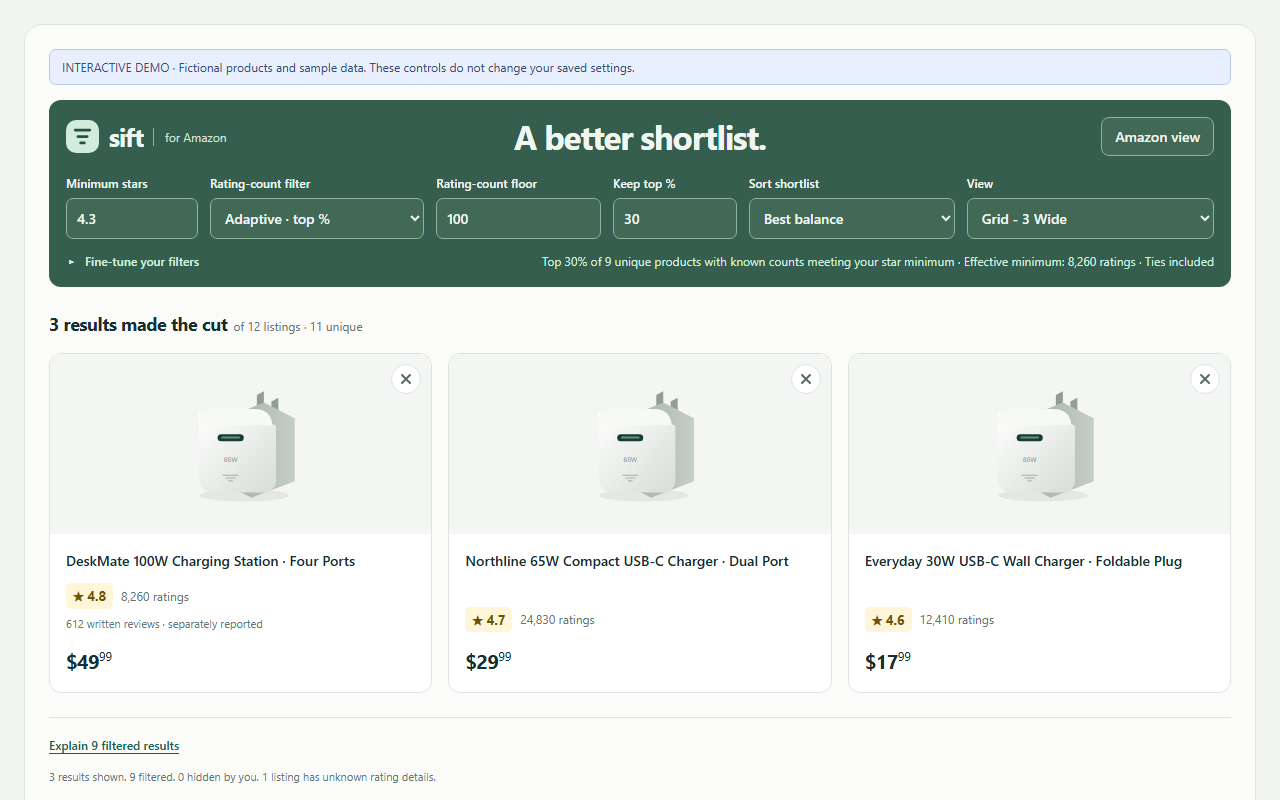
Screenshot of Sift using sample product names, prices, and ratings.
Make room for the good fits.
Set minimum stars and rating counts. Keep a fixed minimum, or let Sift find the most-rated share of eligible products on the page.
Compare in a 3-, 4-, or 5-wide grid, put images beside the details, or switch to a compact list. Your preferred layout stays saved.
Products you open get a Seen mark. Hide the ones you've ruled out, then undo a hide whenever you change your mind.
Simple by design.
No Sift account, subscription, or analytics. Filtering happens in your browser. Preferences stay on your device, and Seen and hidden products stay in temporary browser memory.
Sift filters products already loaded on the current English-language Amazon.com search page in desktop Chrome. Each page gets its own adaptive cutoff. Sift does not combine all pages of a search.
Sift uses Amazon's displayed star ratings and rating counts. A rating count is different from a written-review count. High stars and large counts do not establish authenticity, and Sift does not detect fake reviews or guarantee product quality.
Yes. Select Amazon view to restore the original layout, or pause Sift from the extension popup. Visit the product page for current prices, delivery dates, coupons, and complete offer information.
Use the contact form. For an issue with search results, include what you expected and what happened. Avoid sharing private account or purchase information.